
Tools to power your live Q&A.
Smart question queue, instant clips, auto-replays, and ticketing.
How it works
- 1
Schedule your Q&A
Pick a time, make it free or ticketed, and share the link with your audience.
- 2
Questions come in
Text or video, before the session and during it. They are sorted by what you are talking about and screened automatically.
- 3
Go live
From your phone or a desktop browser. Pick a question and it is on screen for everyone, or bring the asker up on stage.
- 4
Replay and clips
Every session records itself, and each answer can become a clip for TikTok, Reels, and Shorts.
Your audience runs the show.
Their questions and their faces, on your stream.
Questions and Links, on Screen
Line up questions from your ask page, links, pictures and prompts before you go live.
Pick one, or a question a viewer just sent, and it is on screen for everyone. Their question and your response, together.
Bring Viewers on Stage
Tap any viewer to invite them up. They join you on screen for a real conversation in front of your audience.
Smart Question Queue
Questions are sorted by relevance to what you're discussing, not arrival time.
Spam, off-topic, and inappropriate content is filtered automatically.
Replays on Your Terms
Every session records automatically. Viewers can submit questions without attending live. If you answer it, they catch it in the replay.
Set access from 24 hours to 30 days.
Sessions Become Clips
Each answered question becomes a standalone clip ready for TikTok, Reels, or Shorts.
Free or Paid Sessions
Charge for a seat. Or don't.
Ten viewers or a thousand, the platform works the same.
Replacing a webinar tool? See Q&A With Me vs StreamYard.
Setting up your first session? The docs walk you through it.
Not ready to go live?
Start with your ask page
A free standing page where people send you questions and you reply with quick videos. Collect questions first, go live when you are ready.
How your ask page works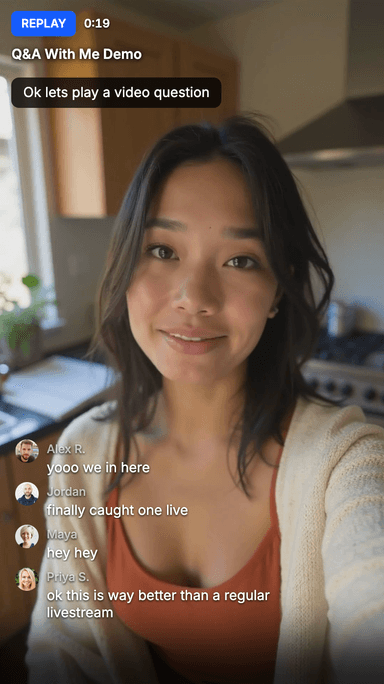
Grow your list with the email tools you already use.
Your audience opts in when they ask or register, automatically synced to your email tool. Schedule a session and we draft an announcement to your list.
Go live everywhere. Get paid here.
Optionally simulcast to the platforms your audience already watches. Everyone can see the show, but only your Q&A With Me audience gets to ask questions.
Ready to host your first Q&A?
Start hosting today. No credit card required.
Download Q&A With Me
